District

Patriots Family Newsletter Jan 5-9, 2026

Posted Date: 12/19/25 (02:00 PM)


Soaring Redhawk

Patriots STEM Family News

January 5-9, 2026

Upcoming Dates

  • December 22nd - January 2nd: Winter Break, no school
  • January 5: PTO Mtg 6pm
  • January 13: Report Cards
  • January 14: Class Pictures
  • January 16: Movie Night (sign-ups go home soon)
  • January 19: No school holiday
  • February 16: Teacher Work Day, No School
  • February 21: Patriots School Dance 6-9pm
Feb.21st 6-9pm - Save the Date for Patriots School Dance
 

Congratulations Mrs. Nicholson!

Congratulations to our Media Specialist Jennifer Nicholson. Her Exploring Our World: Interactive Globes & Global STEM Storytelling grant proposal has been selected as a recipient of a CCEF Inspire IMPACT Classroom grant
 

Come Support our Patriots VEX Team Feb.1st

vex robitcs Feb.1st
 

5th Grade Families Yearbook Ads

Parents! It's that time again! Your child is now in 5th grade and the opportunity to recognize them in a special way in their 2025-2026 yearbook is available! Create a space in the yearbook just for your child — this is a rare chance to celebrate their passions, inspiring achievements and unique perspective in a BIG way. They’ll flip through the yearbook for years to come just to revisit your heartfelt ad.
 
P2 Shield School

P2 Character Trait for the Week

This week's P2 character trait is Optimism
 
lunch

Lunch Visitors

For the week of January 5-9, students with the last names A-G may have visitors for lunch time. Visitors must be listed in Infinite Campus (previously PowerSchool) as approved contact. If you need to add a contact for your child, please contact the main office.
If you are celebrating a birthday, store bought cupcakes may be brought in . Cakes and balloons are not permitted.
 

Car Rider Drop-off & Pick-up at Arrival & Dismissal

Starting on the first day of school, August 11th, all car rider traffic will need to enter at CC Griffin Middle School and travel down the newly paved road into Patriots.
Buses & Staff will still use the main Patriots drive.
Cars will exit the main Patriots drive.
Here are details about the route:
Note: In afternoon only, we will use both lanes of newly paved service road to enter Patriots.
Also, please allow CC Griffin Staff to pass through to enter their parking lot.

Please note, in the mornings, if you arrive at the school after 8:15am, you will need to park and walk your child in. Students will be marked tardy if they are not in their classroom by 8:15. Drop off is allowed as early as 7:45am.
Additionally In the afternoons, if you arrive at the station where our staff is entering car rider numbers (by the Spirit Rock & gravel staff parking lot) after 3:15pm, you will need to park and come in to the office to pick up your student.
 
parent square

Parent Square Communication App

ParentSquare is the official platform for school-to-home communications in Cabarrus County Schools. Our district, schools and teachers use ParentSquare to communicate directly with families on a daily basis and in case of emergency. We strongly encourage you to download the ParentSquare app and register your account today.

Please visit our ParentSquare for Parents information page to learn more about the free Mobile App, where you can customize notification preferences to fit your needs and schedule, set your preferred language for automatic two-way translation and so much more.

If you are experiencing difficulties with your ParentSquare account, you may report any issues here: ParentSquare Troubleshooting Form
 
lunch

Lunch Benefits

Click here to apply for free & reduced lunch benefits. We encourage all parents to apply, just in case you qualify for meal benefits!
LINQ Connect opens mid-July for families to begin applying for free or reduced meals for the 2025-2026 school year.
 

Meal Payments on LINQ Connect

What is LINQ Connect?
LINQ Connect is a secure, online portal that allows families to:
• Make an online payment to their student’s meal account
• Remotely monitor their student’s accounts
• Set up automatic recurring payments
• Set up low balance email message alerts
• Submit an online application for free and/or reduced meals
• View online breakfast and lunch menus

How do I get started?
1. Register: Create an account at https://linqconnect.com and selecting Register.
2. Verify your Account: Verify your account by clicking on the email verification link sent to your email address.
3. Sign In: Now you can sign in at https://linqconnect.com using your email and password.

How do I add my children to my account?
You will need to add your student to your LINQ Connect account. Click on + then Type and complete the information to link your student. You will need to complete this process for each student you wish to add.

Where can I get more information or help?
Please see the attached FAQs for both desktop and app versions of LINQ Connect. Contact Maria Antunez in the Cabarrus County School Nutrition Department at (704)260-5554 for further information..
 
PTO

Parent Teacher Organization Links

See new PTO website here for ways to get involved & support our school!
 
stem

Absences

When your student is absent, please click this link to access absence form. This should be completed for all absences. The form for educational opportunities is also found at this link.
 
change

Transportation Change Link

in addition to letting you child's teacher know about transportation changes, please complete this online form by 1:30pm. Click here to send notification about a change in transportation..
 
bus

School Bus Tracking App

CCS is continuing to use this school bus tracking app. Parents can track their student's bus location on this app. Currently the messaging portion is not active yet, so if a sub bus is running it won’t show the sub bus number or info. But otherwise should be working to track regular buses.
Here are some links to get started using this app:
 

Infinite Campus Parent Portal Access

Elementary staff will not use Infinite Campus for grades, so parents will not see grades within the Parent Portal. You can use this portal to monitor attendance and update emergency phone numbers.
See this link for directions: bit.ly/CCSCampusPortal
 
away for the day

CCS Policy Code 4318 Student Use of Electronic Devices

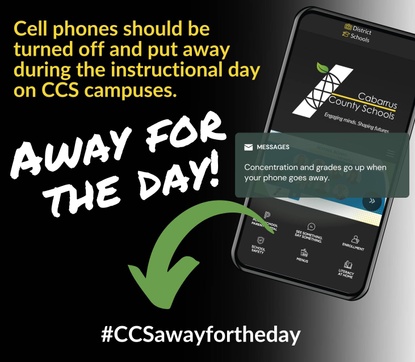
On June 10, 2024, the Board of Education updated Policy 4318 Student Use of Electronic Devices. Policy 4318 is attached to this post. Please note the following important updates for the 2024-25 school year:
  • Elementary School: Students are not allowed to utilize electronic devices from arrival on campus through departure from campus. Students are required to power off and securely store their cell phones away from their person throughout the school day.
  • Middle School: Students are not allowed to utilize electronic devices from arrival on campus through afternoon dismissal. Students are required to power off and securely store their cell phones away from their person throughout the school day. Students engaged in after-school activities will have access to their electronic devices for communicating with parents/guardians.
  • High School: Students are not allowed to utilize electronic devices during instructional time. Students may use electronic devices during non-instructional times which may include arrival/dismissal, breakfast/lunch, and class change. During instructional time, students are required to power off and securely store their electronic devices away from their person.
 
subs

Substitute Teachers Needed

We always need great substitute teachers for Cabarrus County Schools. If you are interested in serving as a substitute teacher, the information about becoming a substitute teacher can be found here Substitute Teaching in CCS.
Let Mrs. Peters know if you apply, so we can follow up. Email - amy.peters@cabarrus.k12.nc.us
 
canvas

How to Set Up Parent CANVAS Account

Sync your student’s canvas account to your parent account. Directions linked here: bit.ly/CCSParentCanvas
Parents can see classroom information & resources on CANVAS.
 
rent rock

Rent The Rock

The spirit rock allows you to recognize a student, share your school spirit, thank a staff member, or any other celebratory event. This is a great way to spread positivity at our school. The spirit rock is located across the main drive from the bus parking lot.
See info here to "Rent the Rock"https://sites.google.com/view/psespto/rent-the-rock
 
Person using a laptop

Patriots STEM Elementary

Location: 1510 Holden Avenue SW, Concord, North Carolina 28025
Phone: 704-260-6230